What is a Checkout Builder - and Does Your Business Need One?
Even an established e-commerce business may hesitate before writing additional custom code, running endless quality assurance tests, and keeping additional team members on payroll just to maintain various buying flow customizations. Every time a marketing manager wants to test a new upsell or remove an unnecessary address field, submitting a developer ticket slows down the tempo and burns the budget. A checkout builder resolves this operational bottleneck. Instead of editing source code or risking broken payments, especially during peak traffic, product managers and marketers can execute in-depth customizations and manage nearly every element of a payment page through a visual admin dashboard. By putting layout, form fields, and conversion tools directly into the hands of non-technical specialists, these platforms contribute to overall revenue, while demanding minimal tech knowledge or budget spend.
What is a checkout builder?
At its core, a checkout builder is a specialized SaaS instrument equipped with drag-and-drop or structured form-based capacities that enables businesses to configure both the visual look and the underlying structure of their payment pages with zero coding. Rather than forcing merchants into a default template provided by an e-commerce platform or a payment gateway, a no code checkout builder acts as an agile presentation and logic layer working together with your payment infrastructure and integrated with other business processes.
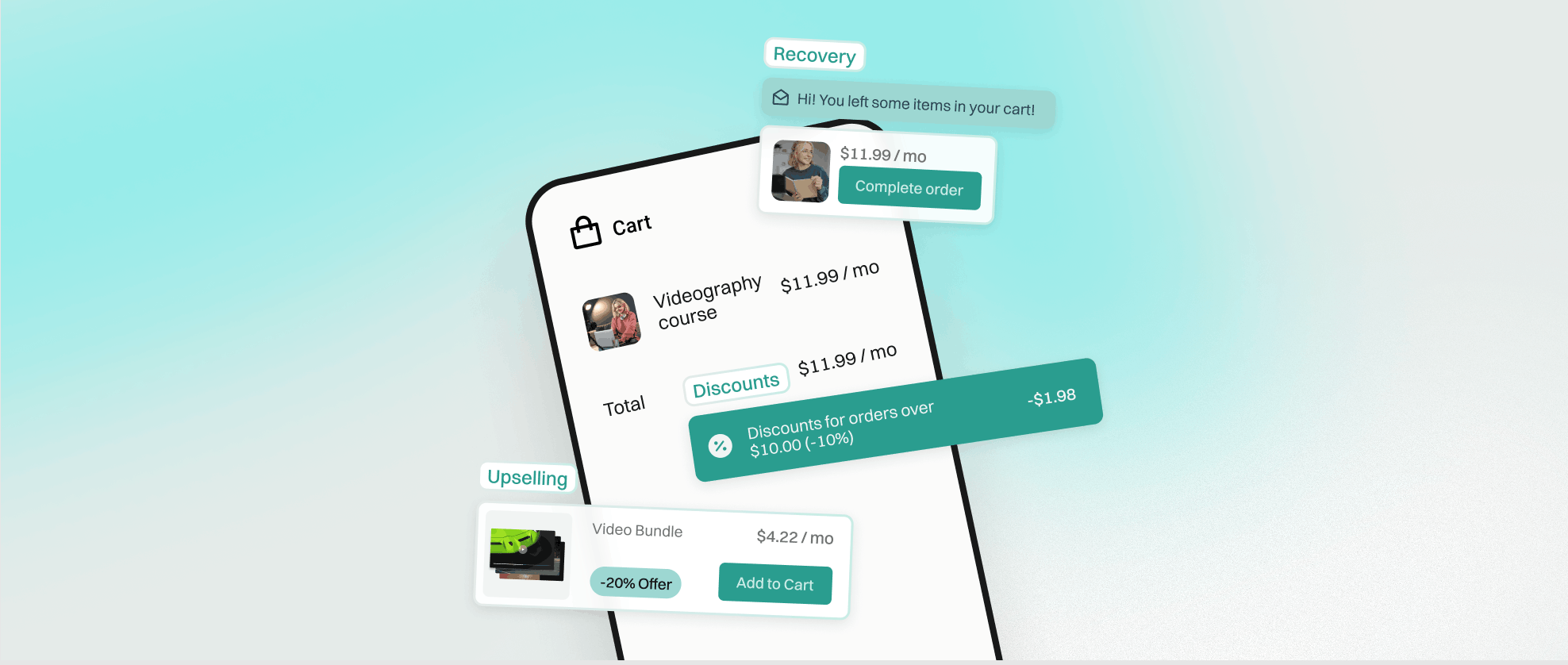
Through a visual admin interface, non-technical team members can add or remove specific input fields, define the exact order in which buyers complete steps, and apply complete visual branding across the entire flow. Beyond aesthetics, a modern checkout form builder gives you direct control over functional conversion elements. You can modify the layout of the payment block, manage express payment buttons, add or remove pre-purchase upsells (commonly known as order bumps), adjust discount code fields, among other features.
Essentially, it combines the structural flexibility of a custom-engineered webpage with the safety and speed of a professional out-of-the-box software tool. Whether you are refining checkout page design to match a seasonal campaign or adapting address requirements for international shipping zones, the builder translates your dashboard adjustments into live, production-ready pages automatically.
Checkout builder vs hosted payment page
When evaluating how to collect payments online, most product managers and merchants weigh two primary options: a checkout builder vs hosted payment page. Understanding the operational trade-offs between these two approaches is essential before committing your team to a specific setup.
A hosted payment page is a ready-made payment screen created, maintained, and hosted directly on the servers of a payment service provider (PSP) or an e-commerce platform. Popular, widely used examples include Stripe Checkout, PayPal, and Adyen. The primary advantage of a hosted page is deployment speed. Because the infrastructure is pre-built and security compliance is handled by the provider, rolling it out takes minimal time and requires virtually no product or technical skills. However, that convenience comes with some limitations. Merchants get no in-depth customizations over the layout or form logic. Furthermore, cross-domain checkout and post-purchase tracking and analytics can become challenging, often breaking attribution paths for advertisers on Google Ads, Meta, TikTok, etc., when buyers bounce between domains. Custom domain management, localized copy adjustments, and native upselling are also severely restricted.
A checkout builder, by contrast, prioritizes commercial flexibility and conversion optimization. It gives your team full control over design, input fields, page layout, upsells and extra offer options, domain management, all on a custom checkout page. You own the buyer journey from the initial point of contact to the order confirmation page. Naturally, this control comes at a price: it is slightly slower to roll out than a default PSP solutions, because you have to configure your fields and branding, add tracking, and it requires paying for a subscription to an additional SaaS service alongside your payment processor fees.
To compare both options side by side for your team, we created a simple checklist: Hosted Payment Page vs Checkout Builder:
{{CTA}}
What can you customize with a checkout builder?
According to research from the Baymard Institute, the average shopping cart abandonment rate sits between 69.8% and 70.22%. Because roughly seven out of ten shoppers leave before completing a purchase, the flexibility of your checkout's design and layout becomes one of the primary levers for recovering lost revenue. A dedicated builder lets you fine-tune six core areas:
- Layout: Most modern builders default to a one-page checkout, which has become the industry standard for maximizing completion rates compared to multi-stage flows. In mid-2024, Shopify switched its merchants completely, opening a one-page checkout for all stores by default. Previously, a three-step checkout was their standard, while a single-page layout was reserved exclusively for Plus members and users of custom solutions. However, Shopify's massive volume of transaction data proved the effectiveness of the one-page approach for most sellers, leading them to sunset the multi-step checkout in favor of a faster, unified screen.
- Form fields: Using a visual checkout form builder, merchants have granular control over what information to collect from buyers and what to skip. You can make specific fields optional or mandatory, rename labels for clarity, or remove unnecessary friction points, such as "First Name" / "Last Name" or "Address Line 2", the elements that slow down mobile shoppers and may annoy buyers in general.
- Branding (logo, colors, domain): While most PSP hosted pages handle basic branding like uploading a logo or picking an accent color, they usually lag behind when it comes to running on your own custom domain, changing the wording, and adding persuasive elements. A builder lets you embed customer reviews, trust motivators and incentives directly inside the payment view.
- Payment methods shown: You can control the visibility and hierarchy of how buyers pay. Express buttons, such as Google Pay, Apple Pay, Klarna Express, and others, can be hidden, revealed, or moved across the page and based on device type or region. The payment block layouts themselves can also differ, letting you display methods as a neat accordion, a folded list, or on full open display.
- Upsell and order bump placement: Instead of relying entirely on cart drawers (pre-checkout stage), you can create, hide, or reveal targeted order bumps right above the payment button, allowing customers to add complementary items or warranties with a single tap.
- Thank-you page: Often overlooked, the order confirmation screen is the final step of the transaction. While the thank-you page automatically inherits your checkout's visual design, a builder lets you configure unique post-purchase elements on it, including post-purchase upsells, real-time order status information, custom delivery notes, smart redirects, and quick contact links for customer support.
Who benefits most from a checkout builder
Not every online seller needs granular control over their payment flow, but based on the Checkify data and observations, these three distinct categories of businesses see immediate operational and financial returns from adopting a builder:
- Merchants selling both physical and digital products: Businesses offering hybrid catalogs, such as physical merchandise alongside recurring subscriptions, memberships, or digital downloads, struggle with modifiable checkout forms. Asking a customer buying a downloadable PDF or an online course to fill out a full shipping address causes unnecessary drop-offs. A builder lets you tailor form requirements dynamically based on product type so digital buyers breeze through while physical orders capture accurate delivery data.
- Established brands with mature design systems: Companies that have invested heavily in building a unique, recognizable, and high-converting visual identity cannot afford a jarring visual drop-off at the final step. When a customer moves from a finely tuned storefront to a generic processor screen, trust erodes. Established brands use a builder so that both the checkout and thank-you pages inherit their exact typography, color rules, and tone of voice.
- Growth teams focused on continuous optimization: Product managers, digital marketers, and conversion analysts who actively run experiments need agility. If your team wants to test different buying flows, reorder form fields, adjust button copy, or run structured A/B split testing to see what drives higher average order values, waiting days for developers to start a new "sprint" is unsustainable. A drag and drop checkout environment lets growth teams launch, measure, and iterate on experiments independently.
How to build a checkout without code - step by step
Setting up a tailored payment page may not necessarily require a profound technical expertise or a background in web development. Platforms like Checkify, which is available in both Pro and Plus versions depending on your business volume, platforms and feature requirements, organize the entire configuration into logical dashboard sections. Here is how a merchant or marketer can modify a checkout page moments after confirming their account and registration:
- Configure your fields in admin > Address forms: Start by defining what customer data you actually need. Inside the address form settings, you can add or remove fields, set their parameters (mandatory versus optional), customize field names and placeholder text, and configure country-specific rules so international buyers only see relevant postal formats.
- Apply your visual identity in admin > Customizations: Next, align the payment screen with your storefront, social media. Upload your logo, input your exact brand color hex codes, select matching fonts, and connect your custom domain so the URL stays consistent throughout the buying journey. You can also adjust microcopy and manage trust elements on Checkify.
- Connect gateways in admin > Payment systems: Link your preferred payment processors, set up rules and rotations. Here, you determine which payment methods appear to buyers, configure express checkout buttons, and choose how the payment block displays.
- Add revenue boosters in admin > Extra offers: Increase your average order value by setting up pre-purchase order bumps or post-purchase upsells. Select the qualifying products, write a brief value-focused offer headline, and position the block cleanly within the flow. Once done, explore the Discounts too.
- Go live, measure, and iterate: Once your settings are saved, publish your checkout flow and start your ad campaigns. Get your first orders and let the page collect real customer data for a set period, monitor your conversion rates, drop-off points, and AOV in your analytics suite (e.g. Google Analytics, Hotjar, etc.), and then return to the admin dashboard to test adjustments and refine the buying experience continuously.
FAQs
Q: What is a checkout builder?
A: A checkout builder is a no-code tool that lets merchants design and customize their payment page - layout, branding, fields, and upsells - without writing code.
Q: Is a checkout builder the same as a hosted payment page?
A: No - a hosted payment page is a pre-built page provided by a payment processor with limited customization, while a checkout builder gives full control over design and flow.
Q: Do I need coding skills to use a checkout builder?
A: No - most checkout builders are designed for non-technical users, using visual editors instead of code.
Q: Can a checkout builder help increase average order value?
A: Yes - most checkout builders let you add upsell and order bump blocks, discounts, custom elements and ad tracking directly into the payment flow. All of these are contributing to raising the AOV.
Conclusion
Choosing between a basic hosted page and a dedicated builder ultimately comes down to your stage of growth. If you are validating an early idea and simply need to accept your first few payments today, a standard PSP page works fine. However, once customer acquisition costs rise and every percentage point of conversion directly impacts profitability, moving to a no-code builder gives your team the practical control needed to turn more browsers into paying customers.